If you’ve ever stood in a lab or on a manufacturing floor watching a material testing machine clamp a steel bar, pull it until it snaps, or press a concrete cube into a pile of rubble, you might’ve asked a question I hear all the time: “How much data can that thing even hold?” For years, I’d give a vague answer about “lots of test results” before realizing most folks—lab managers, quality control supervisors, new technicians—have no idea that data storage capacity for these machines isn’t just about how many numbers fit on a hard drive. It’s tied to how you run tests, what kind of materials you’re testing, and even how the machine was built. As a supplier of material testing machines, I’ve spent the last 12 years talking through this exact question with hundreds of clients, and today I’m breaking it down the real way—not the jargon-heavy sales stuff you’ll find on spec sheets. Material Testing Machines
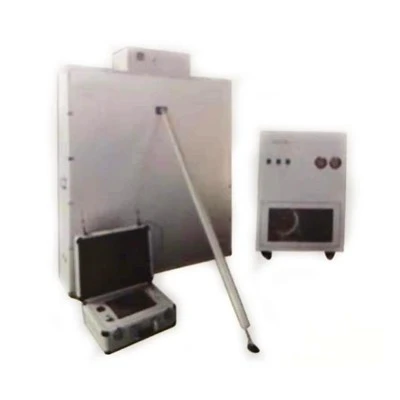
First, let’s ground this in what material testing machines actually capture. They don’t just record “force” and “displacement.” A tensile test on aerospace-grade aluminum, for example, might log 10 data points per second: how much force is pulling on the specimen, how much it’s stretching, even the temperature of the test chamber if it’s a high-temperature test. A fatigue test on a car suspension spring? That’s thousands of points per second, repeating over thousands or even millions of cycles. A compression test on a concrete cylinder for a bridge? It might run slowly, capturing data every half-second, but you’re testing 10 cylinders at a time, so that adds up fast. The type of test is the first big driver of storage needs, and it’s not one-size-fits-all.
Let’s start with the average modern material testing machine, the kind we sell most to small to mid-sized manufacturers, academic labs, and construction testing firms. These are often electromechanical, not hydraulic (though hydraulic machines still dominate heavy-duty industrial use), and they come standard with either a solid-state drive (SSD) or a small hard disk drive (HDD), usually ranging from 128GB to 512GB of built-in storage. Wait, 512GB sounds like a lot, right? But let’s do the math to put that in perspective. A single standard tensile test on a low-carbon steel specimen, running at 10 points per second for 2 minutes, generates roughly 1.2MB of data. That’s nothing. A fatigue test on a medical implant part, which runs 1,000 points per second for 8 hours, hits around 17GB per test. Run 10 of those a day, and that’s 170GB, which would fill a 512GB drive in three days. If you’re a big aerospace facility running 20 of those a day, plus compression tests, bend tests, and chemical resistance tests, you’ll blow through that built-in drive in a week. That’s why most of our mid-range machines come with expandable storage options—USB ports for external drives, network-connected storage (NAS drives), or even cloud integration for clients who need to archive decades of test data for regulatory compliance.
Now, the heavy-duty stuff, the hydraulic machines we sell to steel mills, oil and gas companies, and automotive OEMs. These aren’t your benchtop units. A 100-ton hydraulic tensile tester for pipeline steel can sample data at up to 100,000 points per second during a high-stress fracture test. One of those tests, running for 10 seconds, generates 120MB of raw data—small, but when you pair that with post-test analysis (like calculating yield strength, ultimate tensile strength, elongation at break), each test file swells to 500MB or more. Then there’s the third-party add-ons: environmental chambers that log temperature, humidity, and gas levels, extensometers that measure strain at the micro level, thermal cameras that capture surface temperature during testing. Add all that in, and a single heavy-duty test can hit 2GB or more. Our top-tier hydraulic machines come with 2TB of built-in storage, and we regularly recommend integrating them with on-site servers that can hold 10TB to 50TB of archived test data for clients in regulated industries (like medical devices or aerospace) that are required to keep test records for 10, 15, even 20 years.
Here’s the part most spec sheets leave out: storage capacity isn’t just about how much data you can store—it’s about how efficiently that data is managed. A few years back, we had a client at a small construction testing lab who bought a budget electromechanical machine with 128GB of built-in storage. Within six months, they were calling us panicking because their machine was throwing “disk full” errors mid-test, and they’d lost three critical concrete compression test results that their client needed for a new housing development. When we walked through their process, we realized they were saving every raw data file, every plot, every backup of every test—even duplicates of the same test run for troubleshooting. They weren’t just storing data; they were hoarding redundant files that were eating up space. Once we worked with them to set up an automated archiving system that only kept the final, verified test file (and optional raw data only for high-stakes tests), they cut their storage use by 70% without losing any critical data. That’s the thing: storage capacity is only useful if it’s paired with smart data management.
Another common question I get: “Can I upgrade the storage on my existing material testing machine?” The short answer is, it depends on the machine’s control system. Older machines (pre-2015, when Windows-based controls became standard) often had proprietary hard drives that couldn’t be swapped out for larger units or connected to external storage. But any machine we sell now, and most new machines on the market, use standard SATA connections for internal storage, plus USB 3.0 ports and Ethernet for external drives and network storage. We’ve even retrofitted 12-year-old hydraulic machines for a steel mill in Ohio, adding a 2TB internal HDD and connecting it to their plant’s NAS system, so they no longer have to manually move test files to a server every week. That’s a lot cheaper than buying a whole new machine just for more storage.
Regulatory requirements are another big piece of this. For clients in industries like medical devices, automotive, or aerospace, test data isn’t just internal—it’s subject to audits from the FDA, ISO, or SAE. That means they can’t just delete old test files, and they need to be able to retrieve a test result from 5 years ago in seconds. Built-in storage alone can’t handle that, which is why most of our clients in these fields opt for our cloud-integrated storage solution: test data is automatically backed up to a secure, encrypted cloud server, with access controls so only authorized personnel can retrieve files. We recently installed this system for a medical device maker that tests orthopedic hip implants; they now store over 20TB of test data, and can pull up any implant test result for an audit in 10 seconds, compared to the old system where it took 2 hours to dig through archived external drives. That’s not just about storage capacity—it’s about functional capacity.
Let’s also talk about the difference between built-in storage and usable storage. A lot of manufacturers advertise a “512GB drive” on their machines, but that’s the raw capacity. The operating system, test software, and pre-loaded test libraries take up about 20-30% of that, so usable storage is more like 350-400GB. That’s a huge difference when you’re looking at how many tests you can run. We make a point of disclosing usable capacity on every machine we sell, not just the raw number, because we’ve seen too many clients get fooled by marketing that overstates storage. For example, our mid-range electromechanical machine has a 256GB raw drive, with 180GB of usable storage—we’ll tell you that upfront, instead of saying “256GB storage” and leaving you to figure out the rest.
What about the future? Clients are always asking if storage will be a problem as tests get more advanced. Right now, AI is starting to play a bigger role in material testing—machines can now use machine learning to adjust test parameters in real time, which means they’re generating even more data from the process. We’re already working on our next generation of machines that will use cloud-native processing, so test data is processed and stored in the cloud as it’s generated, which eliminates the need for large built-in drives entirely. But for now, built-in storage and expandable options are still the standard, and we design our machines to be flexible enough to grow with our clients’ needs.
I remember a conversation with a QC manager at a auto parts plant three years ago. He’d just had a test machine crash mid-test, losing 12 hours of fatigue data on brake pads, and he was convinced he needed to buy the biggest machine we made, with 10TB of storage built-in. When we sat down and looked at his test schedule, we realized he only ran 4 fatigue tests a day, and each was small enough to fit on a 128GB drive. The problem wasn’t storage capacity—it was lack of a backup system. We worked with him to set up an automated daily backup to a local NAS drive, and add a 256GB internal drive (instead of the 2TB he’d wanted) at a fraction of the cost of his original quote. That’s the service we pride ourselves on: not just selling a machine with a big number on a spec sheet, but helping clients figure out exactly how much storage they need, and how to use it wisely.
At the end of the day, data storage capacity for material testing machines isn’t a one-size-fits-all number. It’s about the type of tests you run, how often you run them, whether you need to archive data for regulatory purposes, and how you manage the data you generate. As a supplier, I’ve seen clients overspend on storage they don’t need, and I’ve seen clients end up scrambling because they didn’t plan for their future needs. The sweet spot for most small to mid-sized clients is a machine with 128GB to 512GB of usable built-in storage, plus expandable external storage or cloud backup for long-term archives. For heavy industrial or regulated clients, it’s 2TB or more of built-in storage, paired with network or cloud storage that can scale to meet their archival needs.
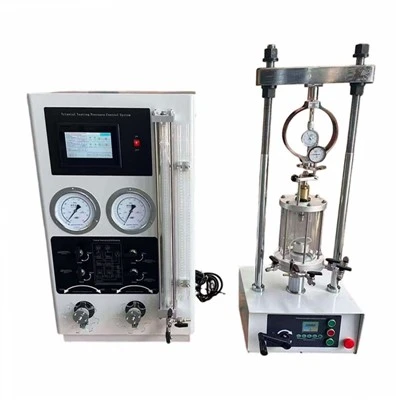
If you’re in the market for a material testing machine, or if you have an existing machine and are worried about running out of storage, don’t just look at the raw spec sheet numbers. Think about your daily test volume, your regulatory requirements, and whether you need to archive test data for years. Our team has helped hundreds of clients across all industries assess their storage needs, and we can help you figure out the right machine for your budget and your workflow. Whether you’re testing concrete for local construction, aerospace components for a global manufacturer, or medical implants for patients around the world, we have the solutions to make sure your test data is stored reliably, securely, and affordably. Reach out to our team to discuss your needs, and let’s make sure your testing operations run smoothly—no disk full errors, no lost data, no last-minute panic.
Laboratory Instruments References
- ASTM International. (2022). Standard Practice for Material Testing Data Management. ASTM D7292-22.
- International Organization for Standardization. (2021). Medical Device Quality Management Systems: Requirements for Regulatory Purposes. ISO 13485:2016.
- National Institute of Standards and Technology. (2020). Data Storage Best Practices for Industrial Testing Equipment. NIST SP 800-186.
- Society of Automotive Engineers. (2023). Fatigue Testing Data Archiving Requirements for Automotive Components. SAE J2617-23.
Hebei Wanluda Testing Instrument Equipment Co., Ltd.
As one of the most professional material testing machines manufacturers and suppliers in China, we have world-leading production equipment and strong manufacturing capabilities. Please rest assured to buy advanced material testing machines made in China here from our factory.
Address: Zhouguantun Village, Xian County, Cangzhou City, Hebei Province, P.R.China
E-mail: wldinstrument@163.com
WebSite: https://www.wldinstrument.com/
